From a folder to a library.
Add local folders or browse Dropbox to choose one or more locations. Subfolders are included, and your libraries stay in sync with their sources.
 Muzo
Desktop preview v0.0.6
Your folders. Your finds. The records you come back to. Bring them together in a player made for your desktop.
Download MuzoLocal folders and Dropbox libraries.
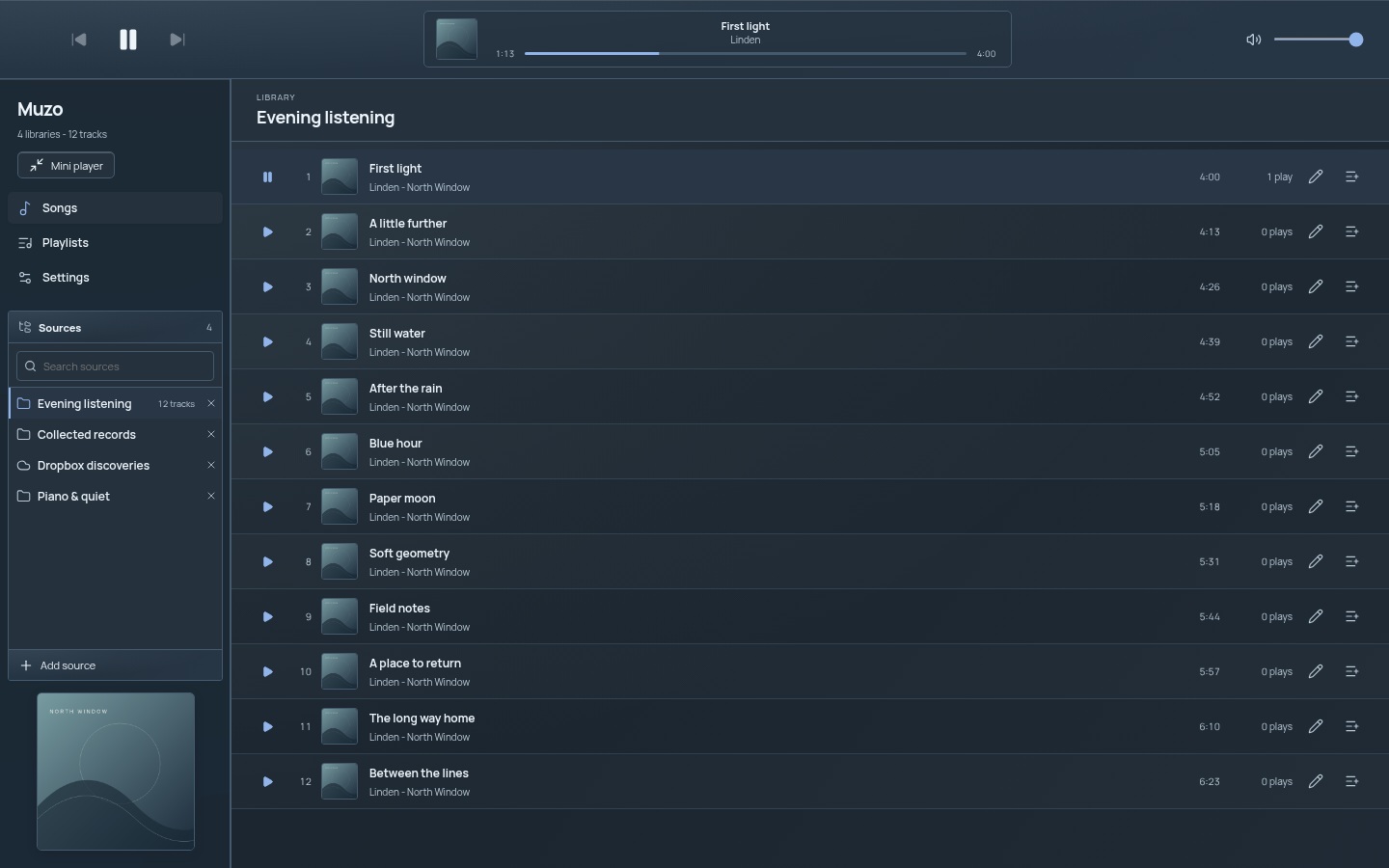
Made for listening
A familiar desktop layout, with your sources beside your music and playback always within reach.
Add local folders or browse Dropbox to choose one or more locations. Subfolders are included, and your libraries stay in sync with their sources.
Search your sources, resize the sidebar and make playlists for whatever comes next. Previous and next controls follow your playlist queue.
Embedded album art belongs alongside your tracks and in the current sleeve. A persistent local cache keeps previously loaded artwork ready between sessions.
Make yourself at home
Seven materials, each with a light and dark variant. Ten accent colours, from quiet Slate to cool Cobalt. Your choices stay with you.
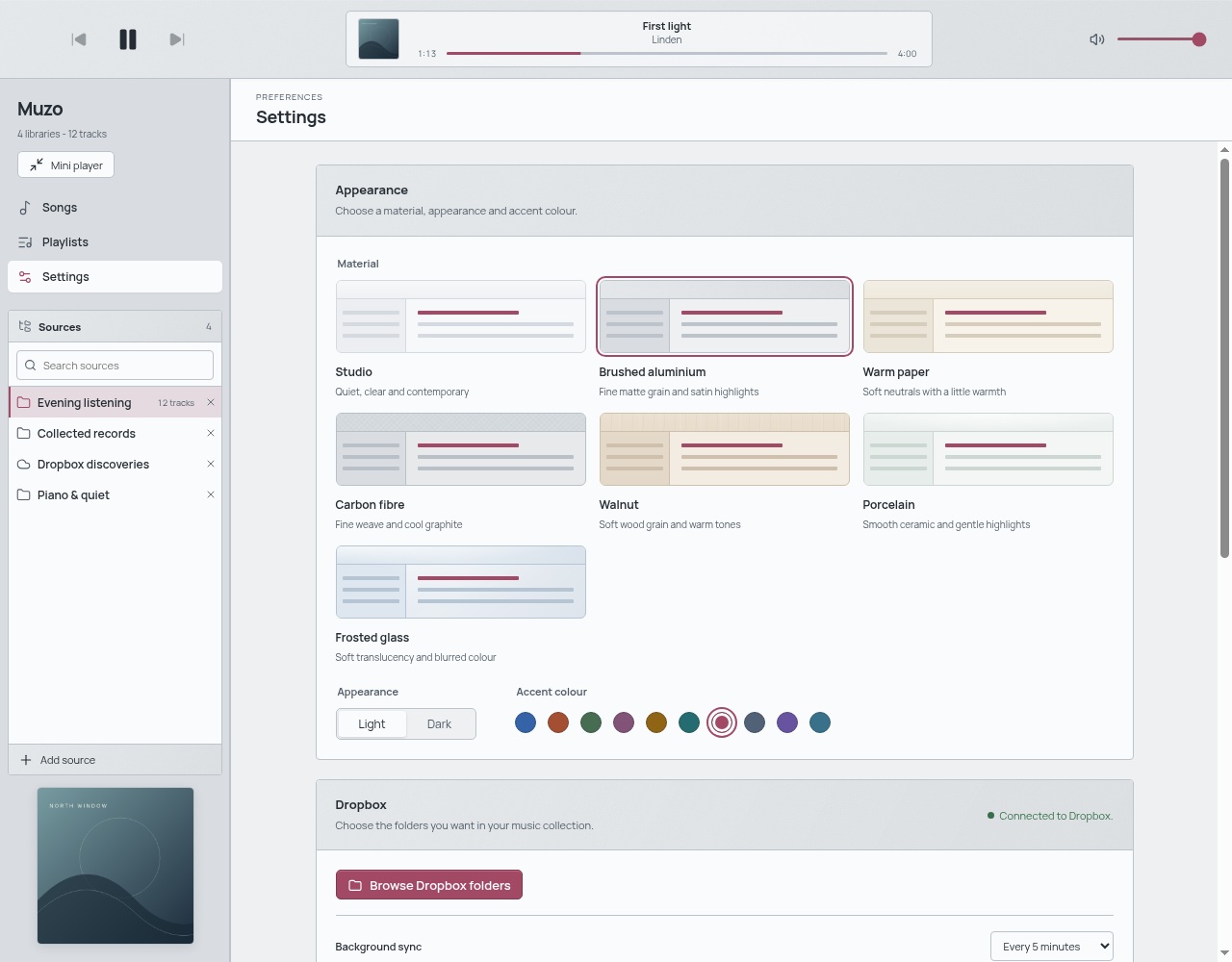
A little colour
Choose your material, appearance and accent in Settings. No account needed for personalization.
Samples above are illustrative. The screenshot shows the current settings.
For your desktop
v0.0.6 · 28 October 2026. Choose the package for your desktop.

64-bit PC · .exe
Run the installer. Setup will guide you through the rest.

.dmg · Apple silicon & Intel
Open the disk image and drag Muzo into Applications.

AppImage · 64-bit Linux
Make the AppImage executable, then open it.
Early desktop preview. Packages are unsigned, so your system may ask you to approve the app.